
Availability depends on the platform, region, account permission, and installed version. Always test before a public stream.
Keep LIVE Chat and gift events in view
TKBOX puts chat, gifts, and other available audience events into one live panel, reducing window switching during a show.
TikTok LIVE availability varies by country or region, account eligibility, platform access, and risk controls. Use the connection status in TKBOX as the source of truth.
- Review chat, gifts, and key events
- Recognize different audience actions
- Reduce time spent searching for feedback
Design feedback that works across languages
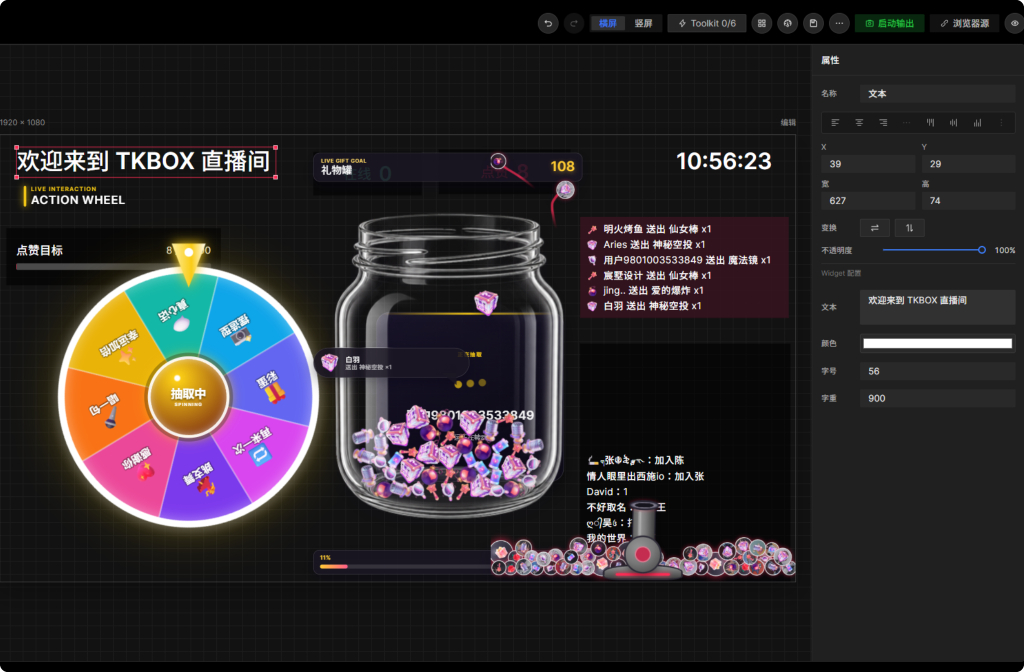
Clear animation, progress, wheels, gift jars, and task states help audiences understand the show even when they speak different languages.
Map available chat keywords, gifts, or like goals to keep interactive livestream games on pace.
- LIVE Chat keyword triggers
- Gift-triggered animation and scene changes
- Like goals, polls, and audience tasks
Bring scenes into common broadcast software
Use output methods available in the current release, such as a standalone player or virtual camera, to include TKBOX scenes in OBS or compatible software.
Before streaming, verify resolution, transparency, audio routing, and target-software compatibility.
- Combine text, images, media, and widgets
- Save scenes for different show formats
- Rehearse before enabling live triggers
Compare interaction choices after the stream
Review trends for chat, gifts, and active viewers to learn which segments people actually joined.
TKBOX analytics are for content review and do not replace TikTok's official dashboard or settlement records.
Frequently asked questions
Is TKBOX affiliated with TikTok?
No. TKBOX is an independent third-party tool. TikTok and its platform services belong to their respective rights holders.
Why do features vary between accounts?
Country or region availability, LIVE eligibility, platform access, and risk-control policies may differ. Actual support is shown by the client.
Can TikTok gifts trigger games?
When the connection provides the relevant gift event, you can configure feedback and game widgets supported by the current client.
Can I use TKBOX with OBS?
Yes, through output methods available in the installed version. Always test compatibility before a public livestream.
GET TKBOX
Build your next interactive livestream in TKBOX
Start with the Windows client, connect a supported live room, and rehearse your scene before going public.