Live chat
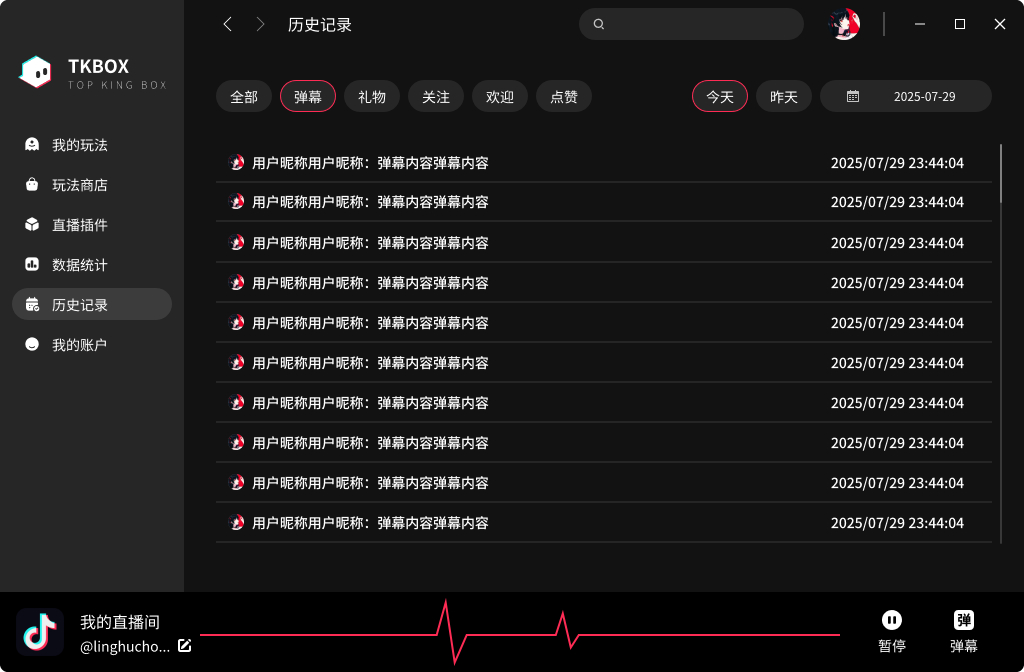
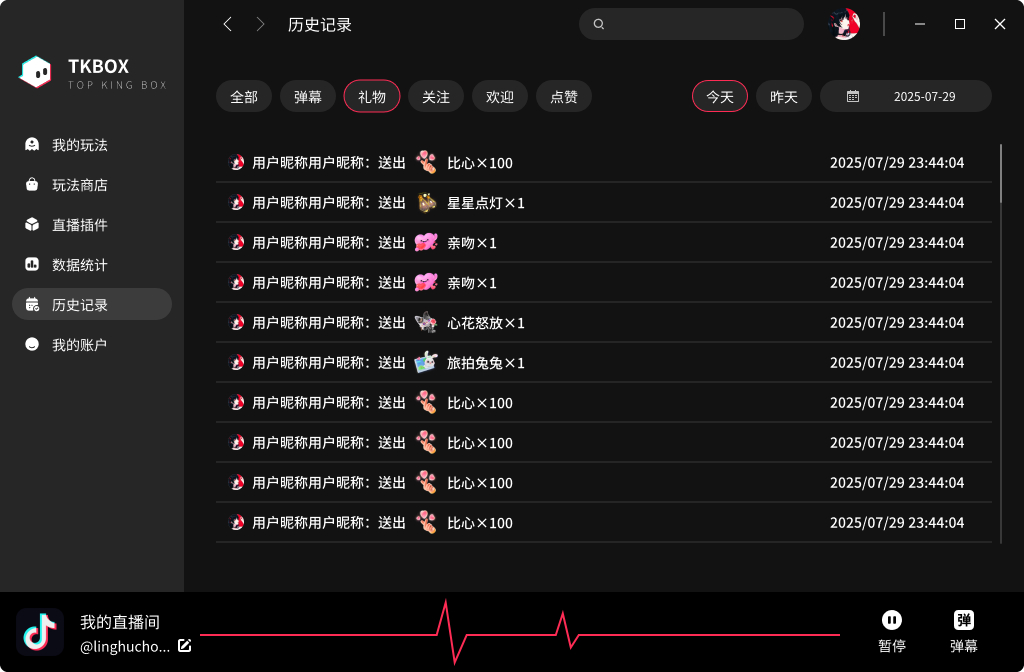
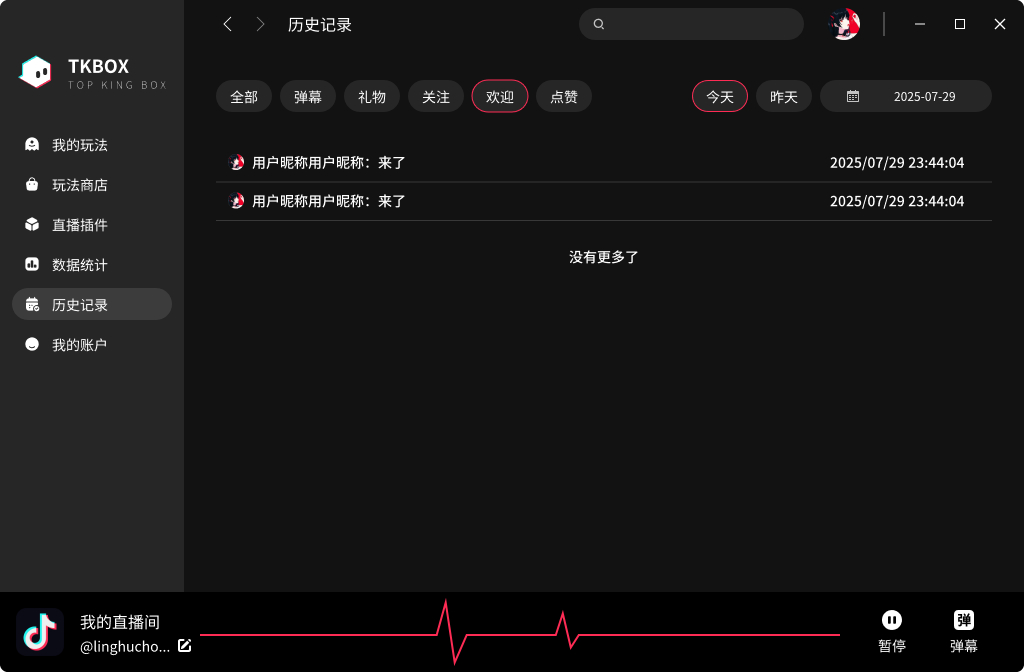
Handle chat, gifts, follows, and entries in one place
Bring key interactions into one view after connecting your live room, so you can respond without hunting through multiple windows.

 TKBOX
TKBOX
LIVE INTERACTION, IN ONE BOX
TKBOX is a Windows livestream interaction toolkit for Douyin, TikTok LIVE, and RedNote creators, bringing live chat, gift triggers, interactive games, broadcast output, and analytics into one workspace.
.jpg?v=20260527165639)
BUILT FOR LIVE CREATORS
Choose a connection method for your streaming platform. Available features may vary by platform, account status, and region.
ONE TOOLKIT, MORE POSSIBILITIES
Mix live-chat interaction, gift triggers, audience games, and Super Scenes to match your streaming style.
Bring key interactions into one view after connecting your live room, so you can respond without hunting through multiple windows.
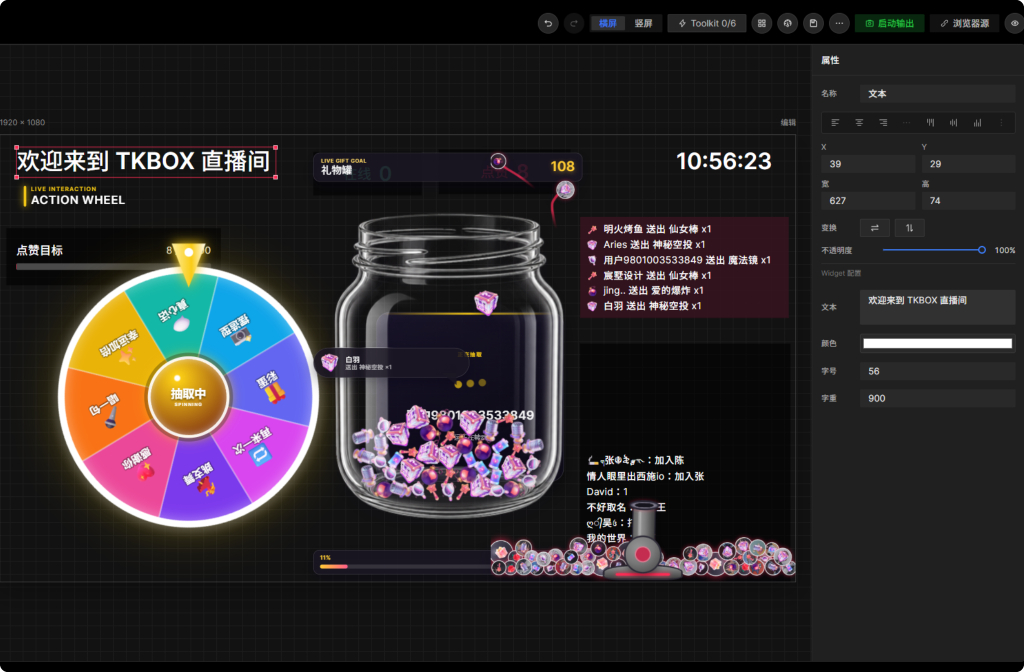
Use wheels, gift jars, gift cannons, polls, song requests, and other widgets to turn comments, likes, and gifts into on-screen moments.

Combine text, images, media, and interactive widgets; save the scene and output it through a standalone player.
.jpg)
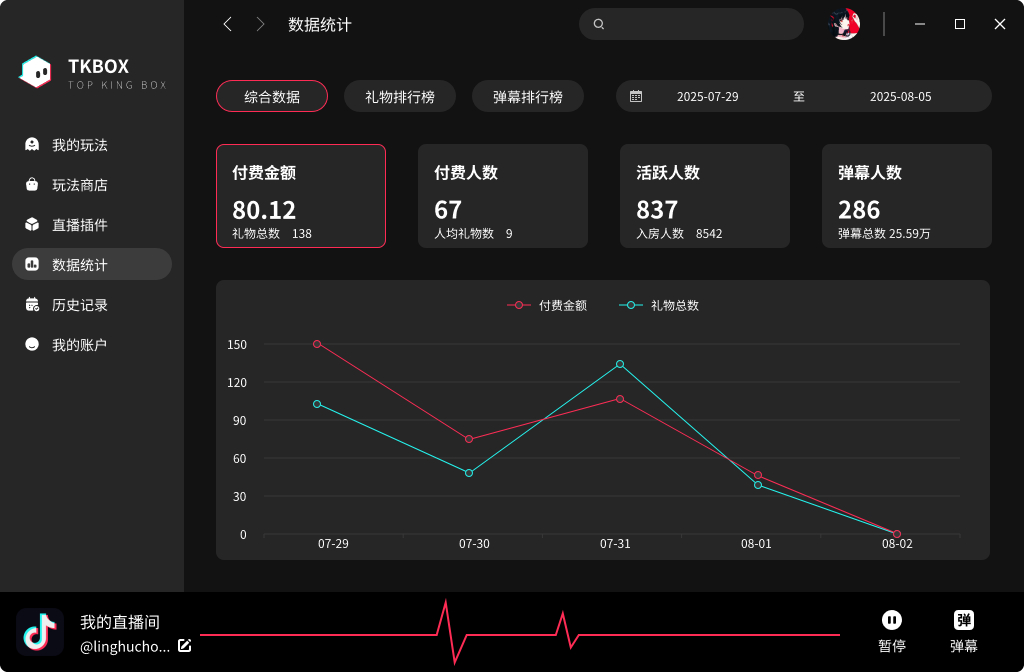
Review gifts, chat, active viewers, and interaction trends by date and platform.
Connect to OBS, live companions, and other common tools through virtual camera output. Compatibility depends on your system and target software version.
.jpg)
EXPLORE BY SCENARIO
Compare platform connections, interactive livestream games, and broadcast output before building your live-room workflow.
Turn chat, likes, follows, and gifts into controlled show triggers.
View setup → 02 / PLATFORMConnect LIVE Chat and gift events to games and on-screen scenes.
View setup → 03 / PLATFORMBring messages, gift feedback, and audience scenes into one workspace.
View setup → 04 / PLAYExplore chat games, gift triggers, and creator-controlled audience pranks.
Explore formats → 05 / OUTPUTSee how OBS, streaming companions, virtual cameras, and widgets work together.
Explore output →YOUR LIVE WORKFLOW
Sign in to TKBOX, choose Douyin, TikTok, or RedNote, and follow the prompts to connect your live room.
Configure chat styles, gift triggers, and widgets, then route the scene into your broadcast software.
Review interaction history and analytics locally, then clear records and cache you no longer need.
REAL PRODUCT, REAL SCREENS
Screens may change between releases. Your installed version is the source of truth.
CLEAR BY DESIGN
Stream records, viewer profiles, scenes, and preferences are primarily stored on your current Windows device for you to manage and clear.
Sign-in, authorization, payments, app delivery, updates, and platform connections require the relevant online services.
Our Privacy Policy, Terms of Service, and Cookie Policy are always available in the footer—not hidden behind the download button.
FAQ
The base TKBOX Windows app is currently free to download. Marketplace extensions, premium capabilities, or third-party services may be sold separately; the purchase page controls pricing, duration, and terms.
The current product connects to Douyin, TikTok, and RedNote live interactions. Platform APIs, regions, account permissions, and risk controls can change; follow the availability shown in the app.
The website currently offers Windows only. A macOS installer is not available.
Sign-in identifies your TKBOX account, synchronizes entitlements, connects services, and manages your extensions. The app supports WeChat and Google sign-in; see the Privacy Policy for data details.
Chat records, viewer names and avatars, scene settings, preferences, and logs are mainly stored on the current device. Necessary sign-in, order, payment, and entitlement data is handled by our servers. See the Privacy Policy for details and deletion options.
GET TKBOX
For Windows. Before downloading or using TKBOX, please read and accept the Terms of Service and Privacy Policy.