
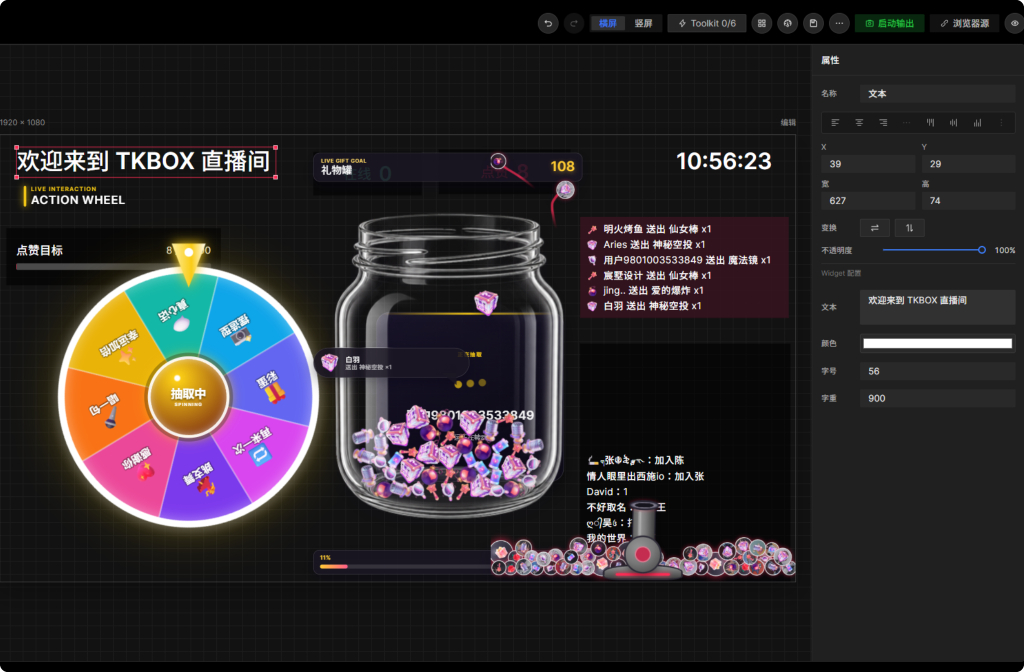
Availability depends on the platform, region, account permission, and installed version. Always test before a public stream.
From light engagement to a complete live game
Combine wheels, prize draws, gift jars, gift cannons, polls, song requests, progress goals, and audience tasks around the pace of your stream.
Light formats fit conversations and demonstrations, while complete scenes can support challenges, party shows, and connected sessions.
- Chat games and keyword challenges
- Gift-triggered animation, rewards, or tasks
- Like goals, polls, song requests, and draws
Give every audience action a clear response
Map available chat keywords, gifts, likes, follows, or entry events to visible widgets.
Define thresholds, cooldowns, and feedback levels first so high event volume does not cover the content or overload audio.
- Set thresholds and cooldowns
- Separate routine and high-value feedback
- Rehearse with test events before streaming
Keep audience pranks playful and creator-controlled
An audience prank can be a timed challenge, scene change, sound, or task triggered by a gift—not uncontrolled disruption.
Creators should limit intensity, duration, and trigger scope, and avoid dangerous, humiliating, deceptive, or age-inappropriate content.
- Gift-triggered pranks and timed challenges
- Pause or clear events at any time
- Set boundaries and retain manual control
Learn which games support the show
Compare chat, gift, active-viewer, and interaction trends to identify formats that helped participation instead of interrupting content.
Keep successful formats as reusable scenes and remove the ones that weakened pacing.
Frequently asked questions
Do interactive livestream games require coding?
Common formats can be assembled with widgets and scene settings offered by the current TKBOX client. More complex behavior depends on version and component capabilities.
Can both chat and gifts trigger games?
When the platform connection provides the event, keywords, gifts, likes, or follows can be used as triggers supported by the current client.
How do I keep audience pranks under control?
Set thresholds, cooldowns, duration, and a manual pause. Avoid dangerous, humiliating, or platform-prohibited content.
Which livestream platforms are supported?
TKBOX currently focuses on Douyin, TikTok LIVE, and RedNote. Actual support varies by platform, region, account, and version.
GET TKBOX
Build your next interactive livestream in TKBOX
Start with the Windows client, connect a supported live room, and rehearse your scene before going public.